Good morning. I’m まさきん.
I signed up for X Premium, X’s paid subscription. It wasn’t for any of X’s own features — what I was really after was Grok, the AI assistant.
Around the same time, it turned out the same Grok had become available inside my Tesla too.
In this post, I’ll walk through how I picked a plan and how it works inside the car.
Grok Has Two Different Subscription Paths
Grok’s paid plans break down into two broad categories.
There’s the “X Premium” family that comes bundled with an X subscription, and the “SuperGrok” family built specifically for Grok.
SuperGrok plans start at $30 a month, billed in US dollars. They give you access to image and video generation as well as DeepSearch.
X Premium, on the other hand, is just 980 yen a month. It’s a simple plan that just raises your usage limit for Grok.
- X Premium: 980 yen/month, raises the Grok usage limit
- X Premium+: 6,080 yen/month, SuperGrok-level Grok features plus X perks
- SuperGrok: $30/month, Grok 4.5, DeepSearch, image and video generation
I already have X open on a regular basis anyway, so I decided to start by trying X Premium.
I signed up through a web browser. Even for the same plan, in-app purchases apparently cost more because of the extra processing fee.
Clicking this opens the Rakuten login page. Once you log in, you’ll see the campaign details.
I Never Expected It to Work in My Tesla Too
I’d assumed Grok was something you only used on your phone and on X.
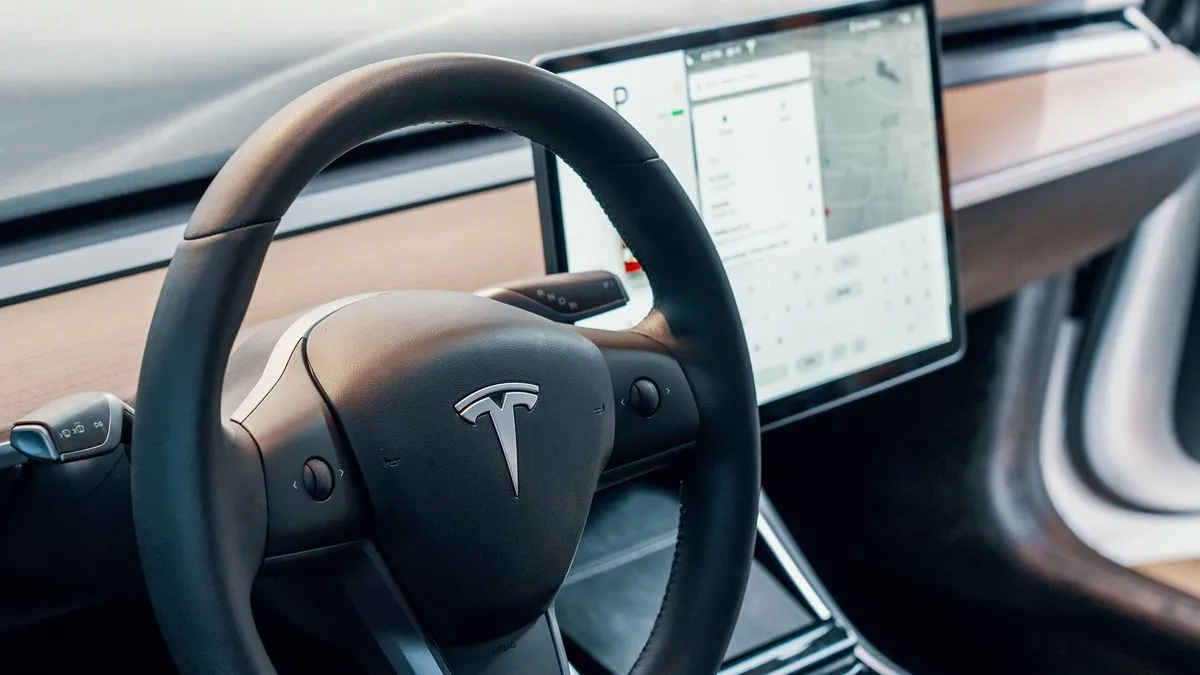
But it turns out the exact same Grok is now built into the Tesla’s in-car system as well.
In Japan, it’s been rolling out to eligible models starting July 10, 2026.
The eligible models are the Model 3, Model Y, and Model Y L. You’ll need software version 2026.20 or later.
It also assumes you have a Premium Connectivity subscription for the cellular connection. That’s worth confirming ahead of time.
You Can Summon It with “Hey Grok”
There are a few different ways to launch it.
You can tap it from the app list on the touchscreen, or press and hold the mic button on the steering wheel.
If you enable it in the settings, you can also launch it just by saying “Hey Grok.”
Signing in isn’t required. You can start using it right away in guest mode.
If you do sign in, your conversation history syncs between your phone and the car, and it seems your usage limits get relaxed too.
I tried having it find nearby places and help plan routes. You don’t need to memorize any set phrases — it just seems to pick up on what you mean from however you phrase it.
It might not be bad company on a long drive, either.
Vehicle Controls Are Still a Work in Progress
That said, there are a few caveats.
Up until now, controlling the AC or music still meant using the touchscreen.
With the summer 2026 update, voice control for things like the AC and glovebox seems to be rolling out too. That said, the rollout varies by region and vehicle. Check Tesla’s official app or announcements for the latest status.
Pricing plans and eligibility requirements may change going forward. I’d recommend checking the official site before you use it.
Wrapping Up
I subscribed to X Premium just to get Grok, and it turned out the same AI had also become available in my Tesla.
Being able to use a single subscription across your phone, X, and your car is a quietly nice perk.
When you’re reviewing your fixed costs, it might help to also ask yourself how far a single subscription can stretch.
In our household, we’ve made a habit of consolidating our communications costs with Rakuten Mobile. If you haven’t made the switch yet, it might be worth taking a look at their pricing simulator.
Clicking this opens the Rakuten login page. Once you log in, you’ll see the campaign details.
This article contains affiliate advertising. If you sign up for a product or service through a link on this site, we may receive compensation from the partner company. The site operator is also an employee of Rakuten Group and may receive compensation through an employee referral program. The content and opinions here are based on the operator’s own experience and research regardless of any advertising relationship, but please read with the above in mind. See the Disclaimer & Affiliate Disclosure for details. Disclaimer & Affiliate Disclosure
This article includes machine-translated content. Please check the official Rakuten Mobile multilingual page for exact terms.
If you have concerns about Rakuten Mobile coverage or signal quality, you can consult through the official signal improvement request form .